
How to UntarX
How to Register as Student of Tarumanagara Ecosystem
Learn how to create your UntarX account and register as a student through a simple and guided process. Follow each step to get started and unlock access to all features designed to support your journey at Tarumanagara.
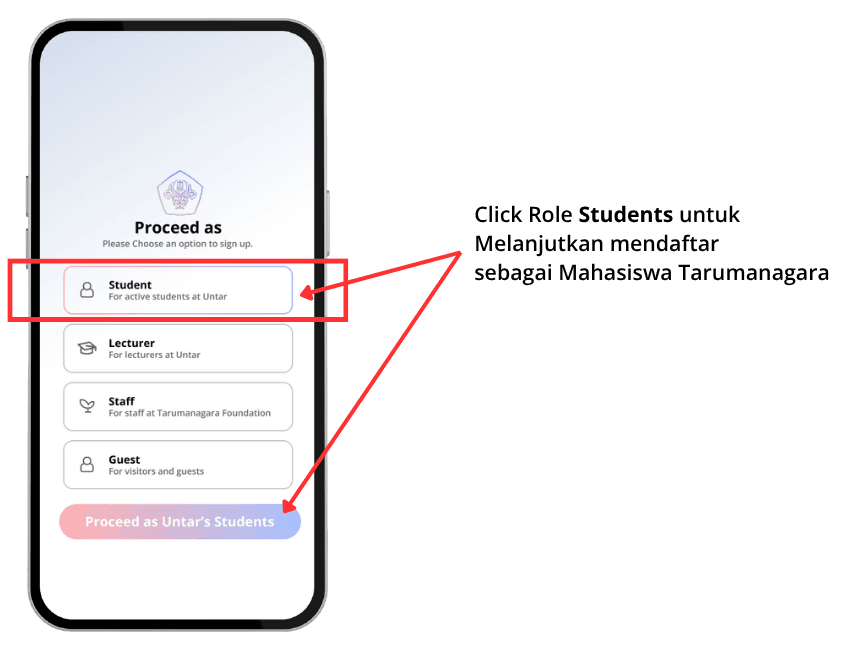
Select a Role on Proceed As
To get started, choose the role that best represents you. If you are a student at Tarumanagara, select “Student” to continue. This selection helps us tailor your account experience and ensure you get access to the right features within UntarX. Once selected, click the “Student” button to proceed to the next step.
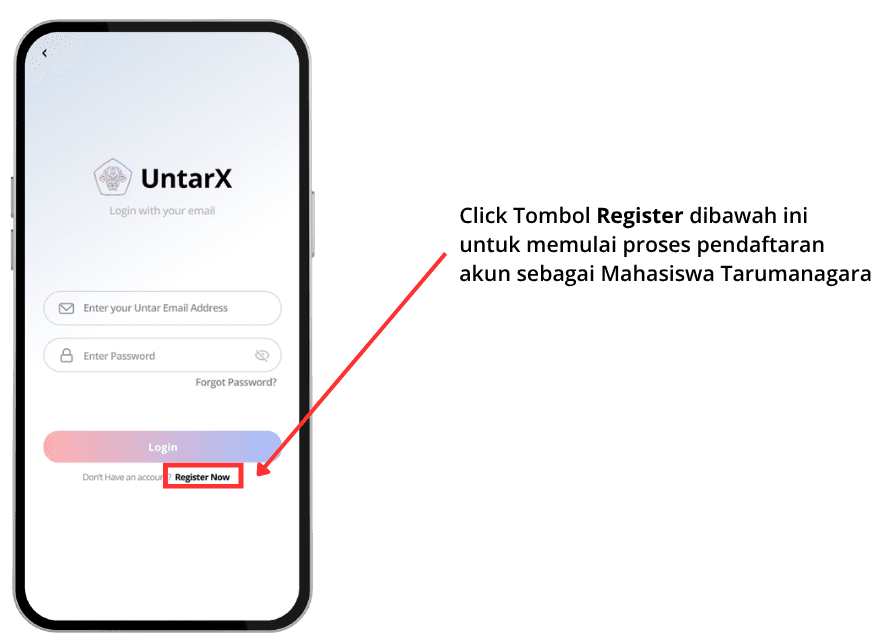
Access the Registration Page
From the Login page, click the “Register” button to begin creating your account. This will take you to the registration form where you can start entering your details.
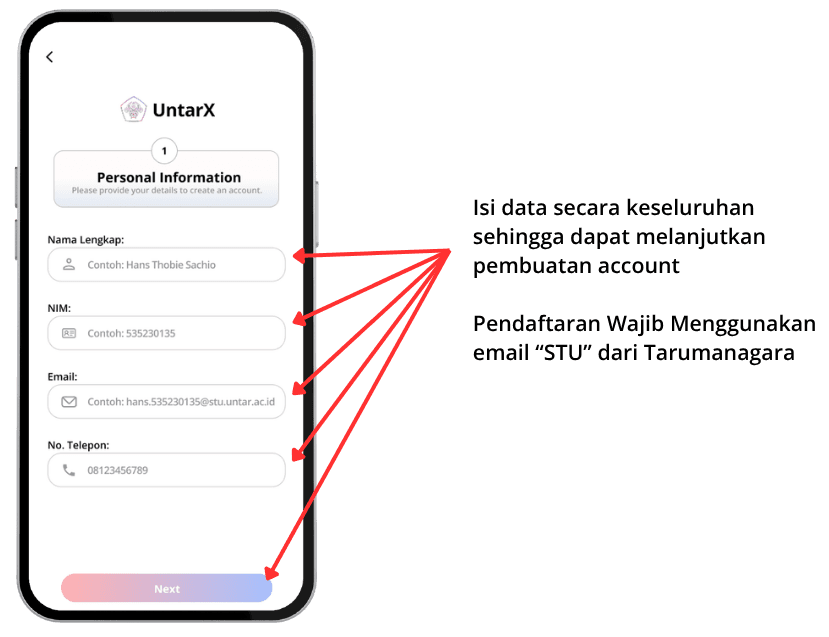
Input Your Personal Information
Next, fill in your personal information on the registration form. Make sure all details are accurate and up to date, as this information will be used to set up your account and verify your status as a Tarumanagara student. Providing correct data ensures a smoother onboarding experience and full access to the platform.
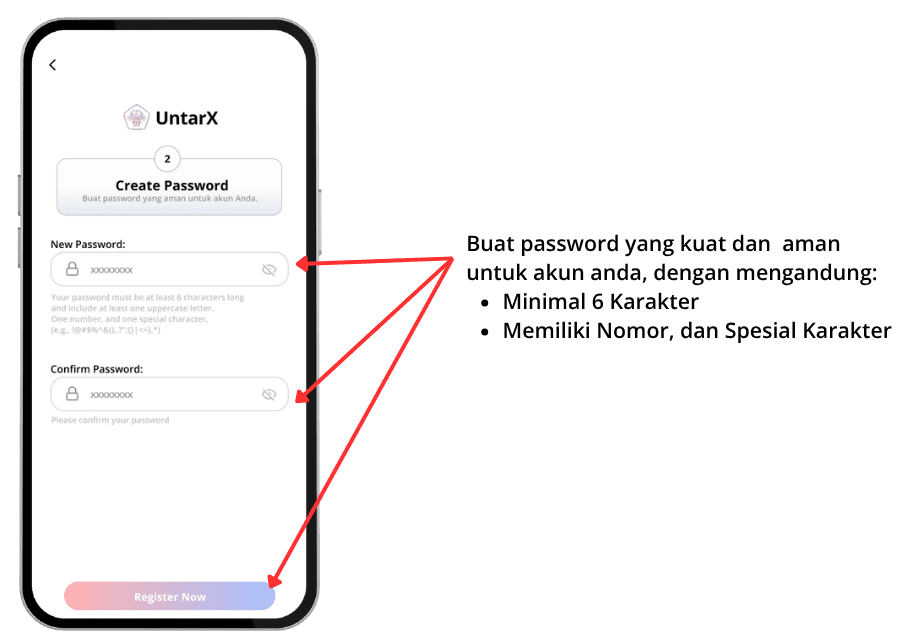
Create a Strong Password
Create a secure password to protect your account. We recommend using a mix of uppercase and lowercase letters, numbers, and special characters. A strong password helps keep your account safe and your personal data protected from unauthorized access.
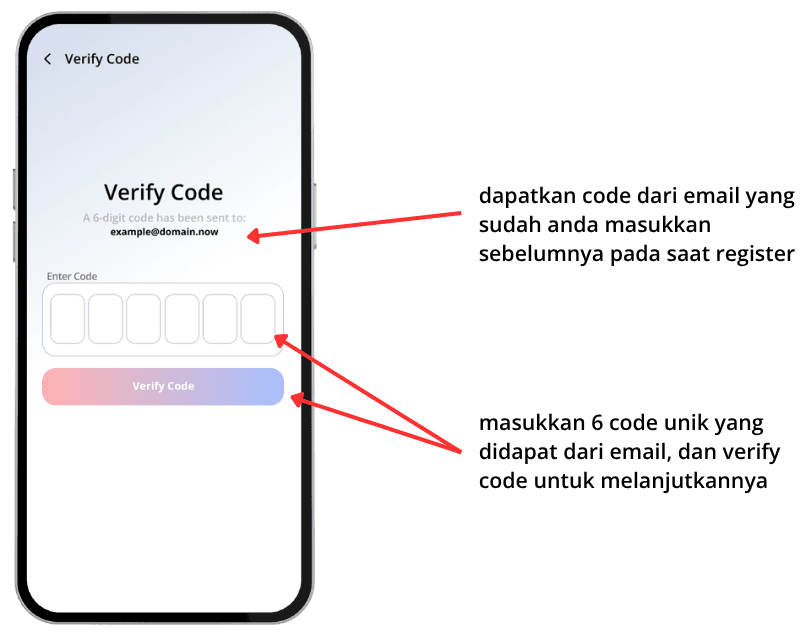
Verify Code
Finally, verify your account using the code sent to your registered email address. Check your inbox, enter the verification code in the provided field, and complete the process. This step ensures your email is valid and activates your UntarX account.