
How to UntarX
How to Register as Lecturer or Staff Tarumanagara University
Create your UntarX account and register as a lecturer or staff member at Tarumanagara University in just a few simple steps. Follow the guide below to get started and access features tailored to support your academic and professional activities.
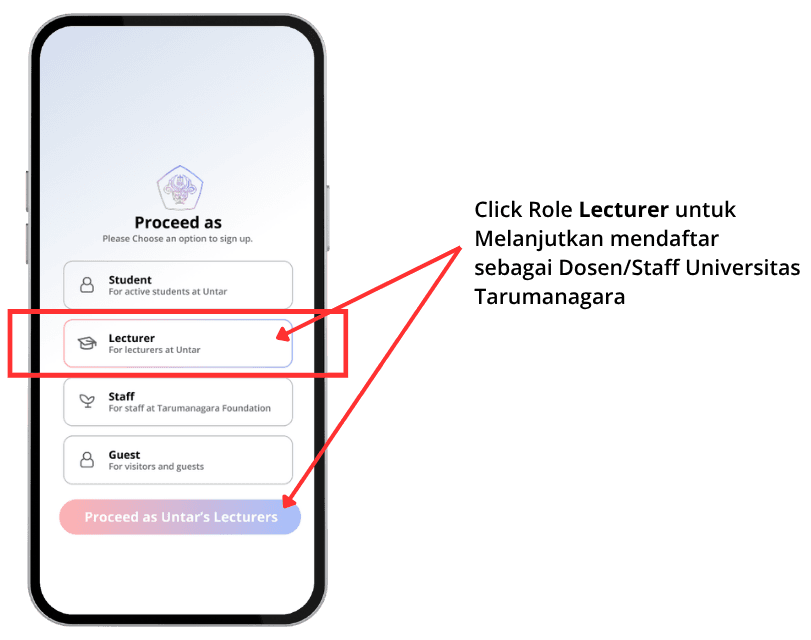
Select a Role on Proceed As
To begin, choose the role that best represents you. If you are a lecturer at Tarumanagara University, select “Lecturer” to continue. This selection ensures your account is configured with the appropriate access and features designed specifically for lecturers within UntarX. Once selected, click the “Lecturer” button to proceed to the next step.
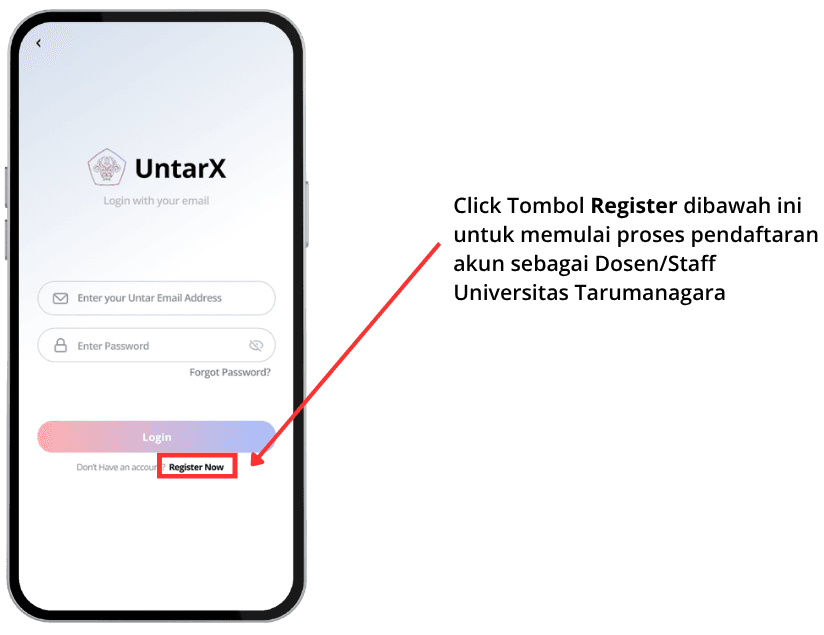
Access the Registration Page
From the Login page, click the “Register” button to begin creating your account. This will take you to the registration form where you can start entering your details.
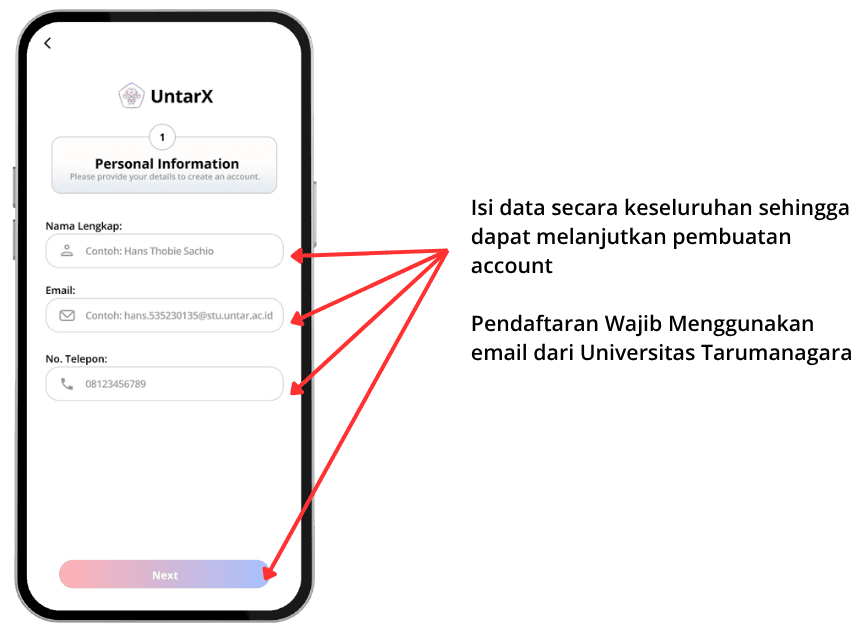
Input Your Personal Information
Next, complete the registration form by entering your personal and professional information. Please ensure that all details provided are accurate and aligned with your identity as a lecturer at Tarumanagara University. This information will be used to set up your account and support the verification process within the system.
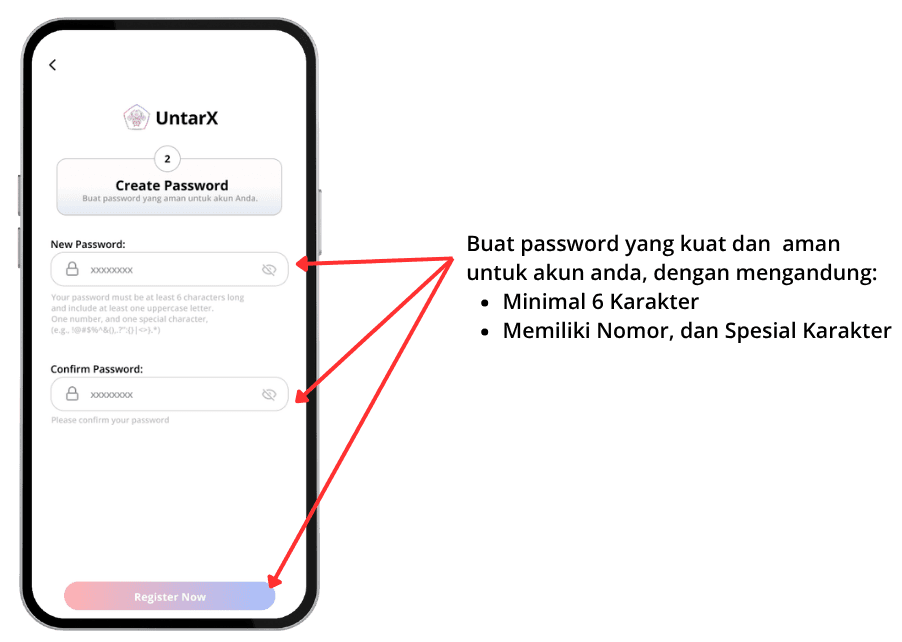
Create a Strong Password
Set up a secure password to protect your account. We recommend using a combination of uppercase and lowercase letters, numbers, and special characters to enhance security. A strong password is essential to safeguard your account and maintain the confidentiality of your data.
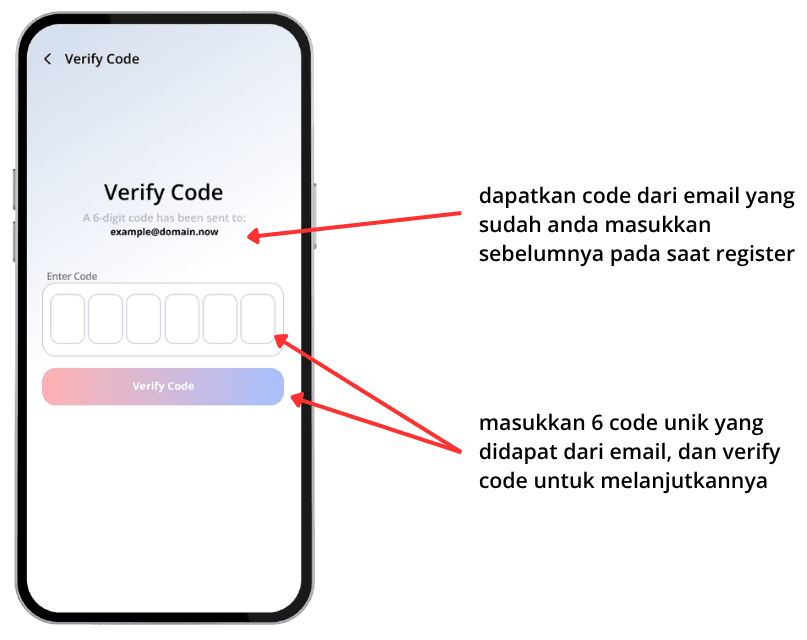
Verify Code
Finally, verify your account using the code sent to your registered email address. Check your inbox, enter the verification code in the provided field, and complete the process. This step confirms your email ownership and activates your UntarX account.