
How to UntarX
Enhance Your Account Security by Updating Your Password Regularly
Keep your account secure by regularly updating your password. You can easily change your UntarX password anytime through your profile settings in just a few simple steps.
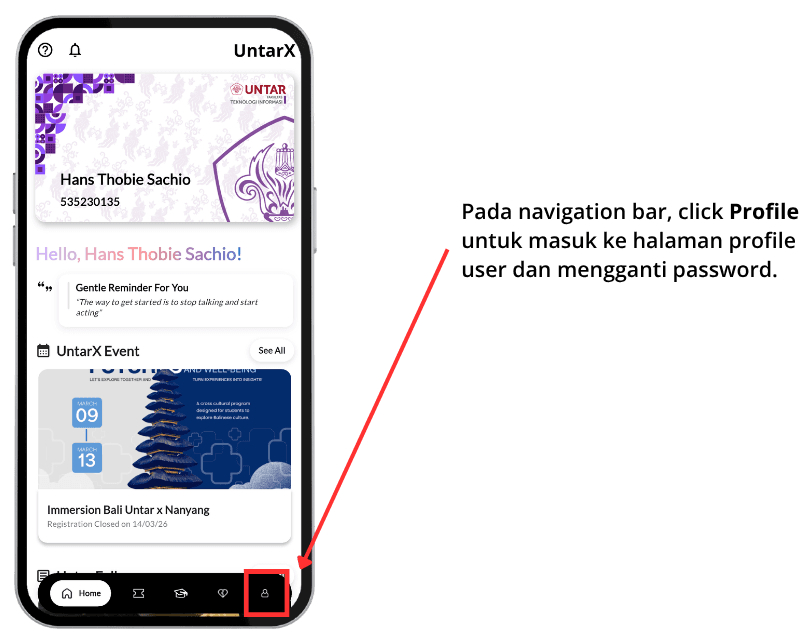
Go to Your Profile Page
Begin by accessing your Profile page through the main navigation available within the platform. This section serves as your personal dashboard, where you can view and manage your account information as well as adjust your preferences.
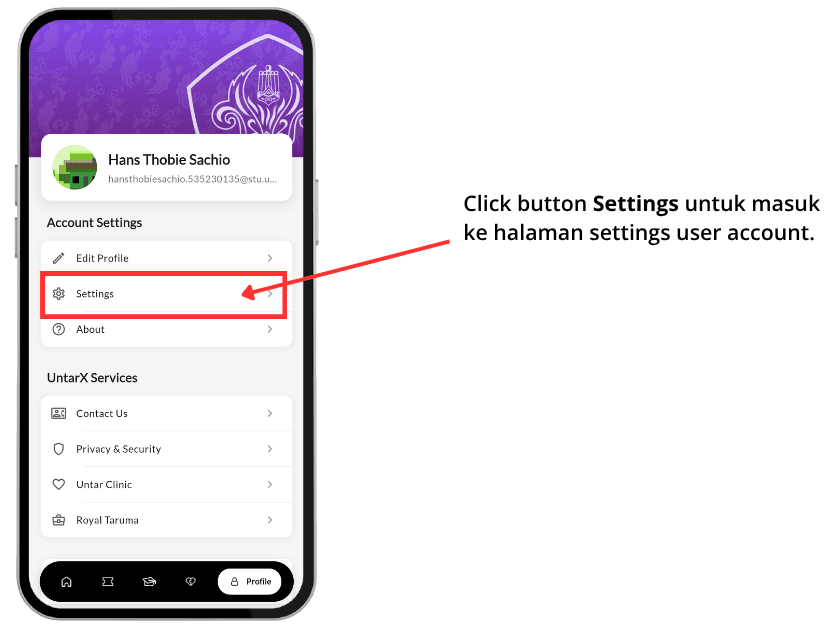
Open Settings
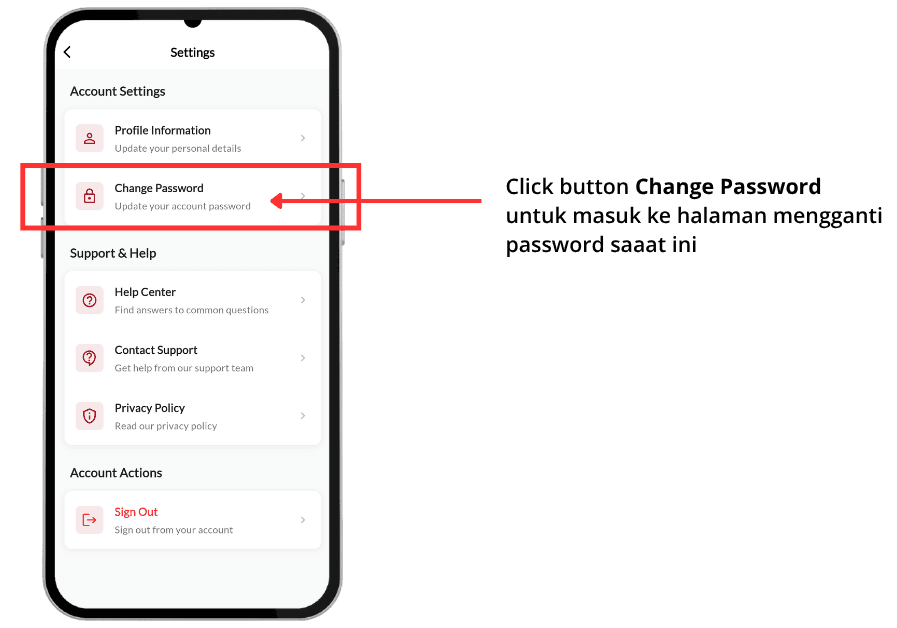
Once you are on your Profile page, locate and select the “Settings” option. This menu provides access to various account configurations, including privacy, security, and other customizable features related to your UntarX account.
Select “Change Password”
Within the Settings menu, find and click on the “Change Password” option. This will direct you to the section where you can update your current password and improve your account security.
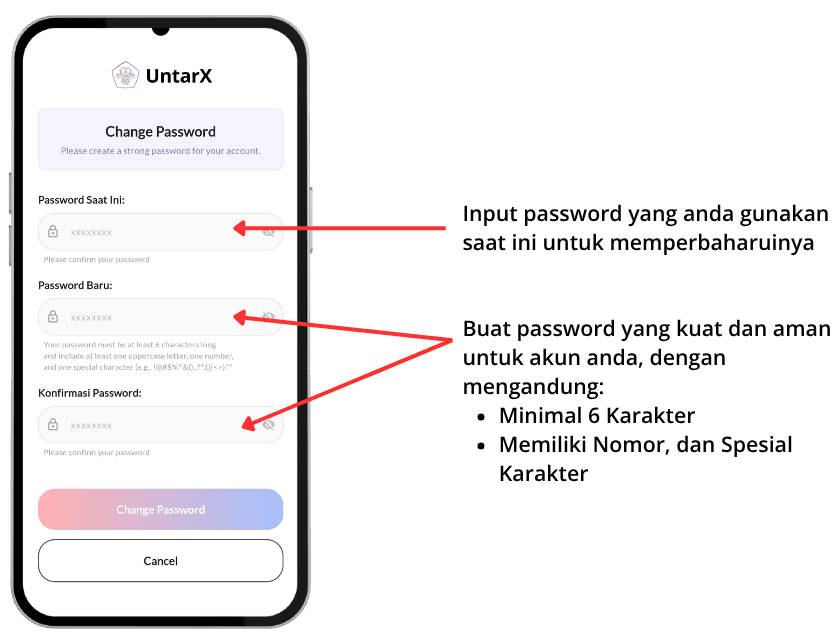
Update and Confirm Your New Password
Enter your current password to verify your identity, then proceed to create a new password. Make sure to use a strong combination of uppercase and lowercase letters, numbers, and special characters to enhance security. After confirming your new password, the system will automatically update your credentials, and your account will be secured with the new password.